
 ChatGPT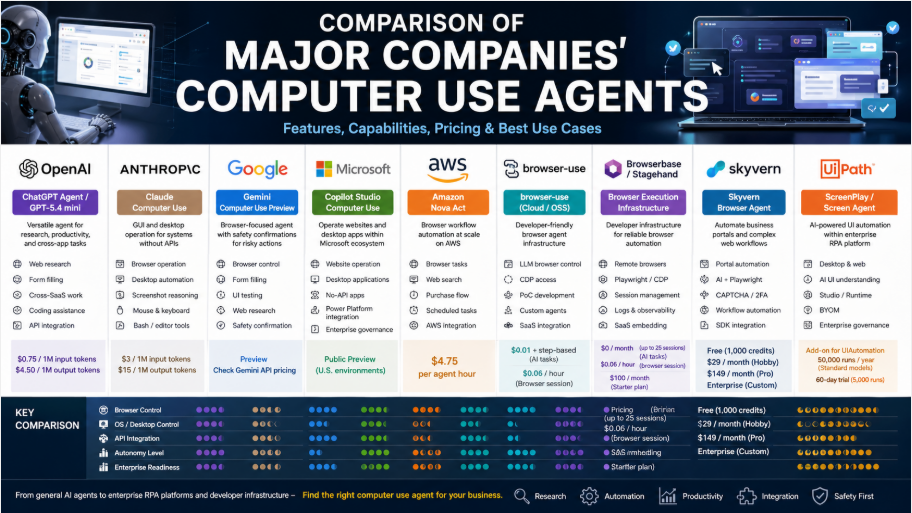
A Practical Enterprise Adoption Guide for Spring 2026: Can AI Become a “Coworker That Operates the Screen”?
In spring 2026, the AI market is rapidly shifting beyond simple chatbots toward AI agents that can look at a web browser or desktop screen, click, type, and carry out tasks. These systems are commonly referred to as Computer Use Agents, Browser Agents, or GUI Automation Agents.
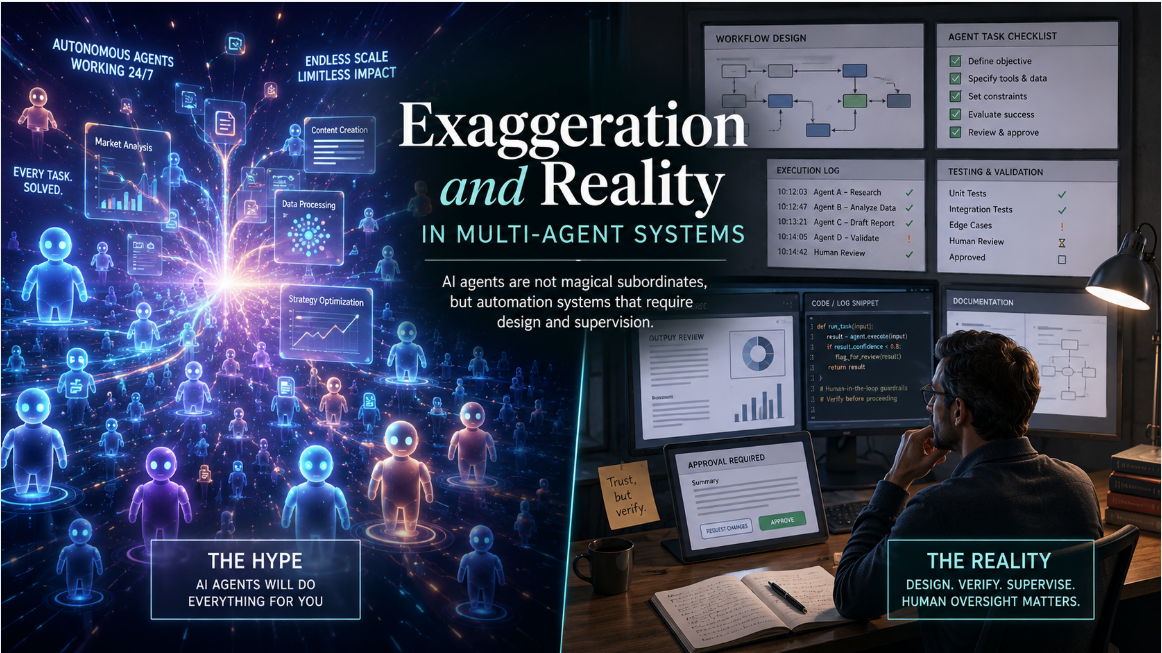
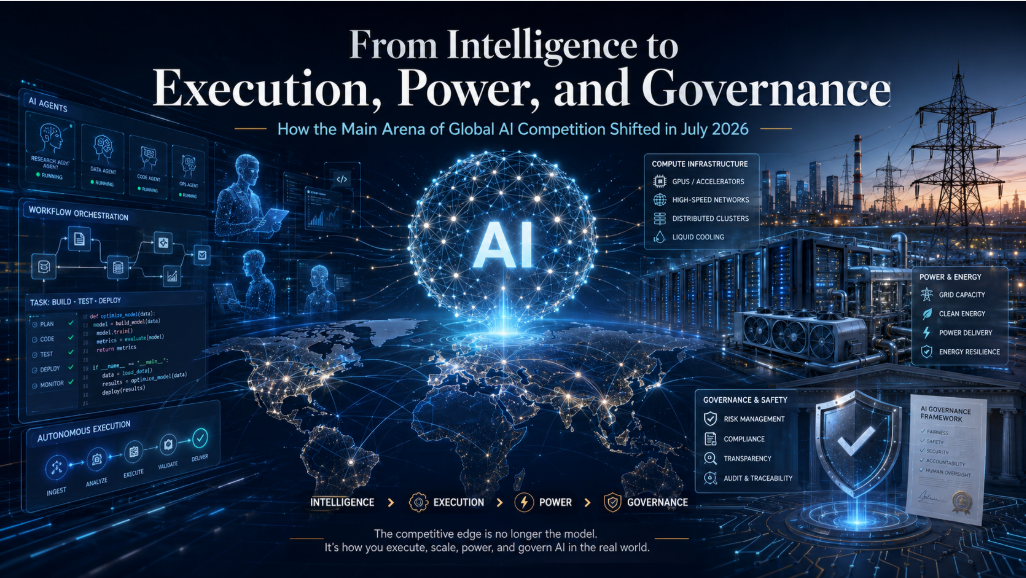
Traditional RPA was strong at repeating predefined steps in stable workflows. Computer Use Agents, by contrast, read the current state of the screen and let an LLM decide what to do next. As a result, the competitive focus is no longer just “which model is smartest,” but also execution environments, permission management, auditability, human approval, and prevention of misoperation.
1. What Is a Computer Use Agent?
A Computer Use Agent is a system in which AI operates a screen in a way similar to a human user: reading the interface, moving the mouse, typing text, scrolling, filling forms, operating websites, and in some cases controlling desktop applications.
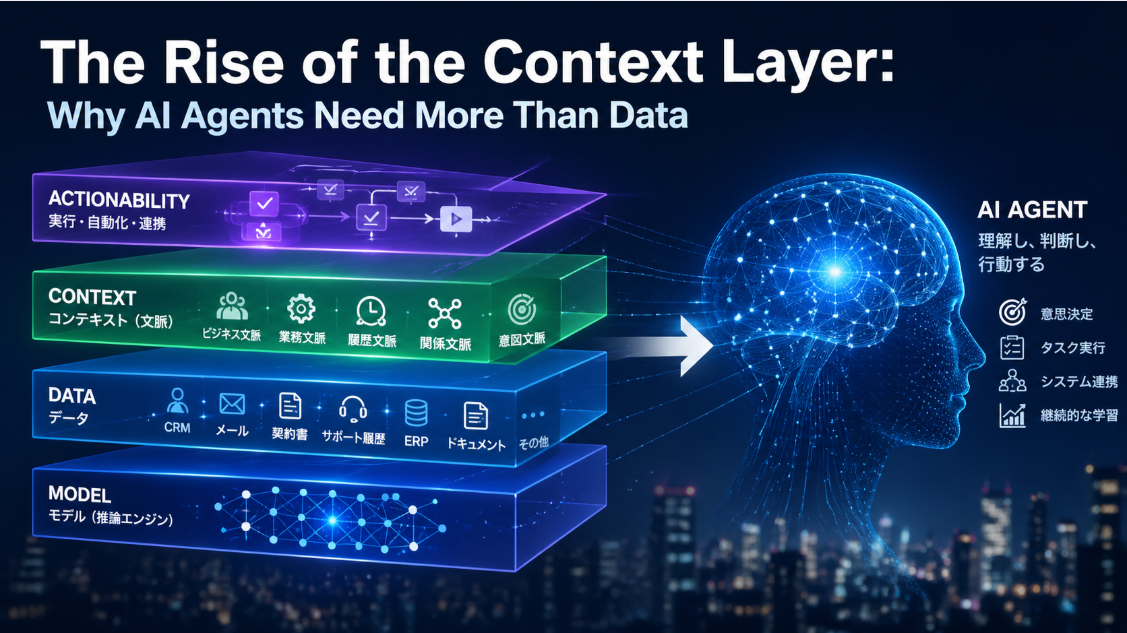
It typically consists of three layers:
- Screen-understanding model
Interprets screenshots, DOM information, accessibility data, browser state, or other UI signals. - Execution runtime
Uses a browser, virtual machine, container, dedicated desktop, Playwright, CDP, or similar environment to execute actions. - Safety and governance layer
Manages approvals, logs, permissions, prohibited actions, allowed domains, audit trails, and human intervention.
For practical deployment, the key question is not simply which AI is the most intelligent. It is which scope of work should be automated, how autonomous the agent should be, and which actions require human approval.
2. Overview of Major Players
OpenAI: ChatGPT Agent and Computer-Use-Capable API Models
OpenAI offers an agent experience inside ChatGPT for general users and computer-use-capable API models for developers. GPT-5.4 mini is described on OpenAI’s official page as a powerful mini model for “coding, computer use, and subagents,” supporting text and image input, tool use, function calling, web search, file search, computer use, and skills via API. Its listed API price is $0.75 per million input tokens and $4.50 per million output tokens. (openai.com)
OpenAI’s strength lies not merely in browser control, but in presenting research, summarization, document creation, code execution, API use, and connector integration as part of one AI work experience. However, it is safer not to claim that Operator, deep research, GUI browser, text browser, terminal, direct API access, and connectors are all fully merged into one single product in a strict sense. Based on public information, it is more accurate to say that multiple capabilities, models, and tools are being provided in an increasingly integrated way across ChatGPT and the API.
What it can do
- Web research
- Form filling
- Cross-SaaS work
- Report generation
- Coding assistance
- API and tool integration
- Reasoning based on images and screen information
Limitations and cautions
- High-risk actions such as sending, purchasing, contracting, or financial operations require human approval
- Enterprise-specific UIs require careful validation
- Long-running autonomous operation requires audit and logging design
- Prompt injection and malicious web-page instructions cannot be completely eliminated
Best suited for
- Companies seeking broad AI adoption
- Teams that want to streamline research, document creation, sales preparation, and cross-SaaS workflows
- Organizations that want one platform usable by both business users and developers
Anthropic: Claude Computer Use
Anthropic’s Computer Use is one of the early major public examples in this category. In October 2024, Anthropic announced computer use capabilities for Claude 3.5 Sonnet, allowing the model via API to look at a screen, move a cursor, click, and type. The Verge described the feature at the time as an experimental capability that allowed Claude to operate a computer screen. (theverge.com)
Anthropic’s official documentation describes Computer Use as a beta feature. It provides screenshot capture, mouse control, keyboard input, and desktop automation capabilities, but the actual screenshot capture and mouse/keyboard execution must be implemented by the application developer. (docs.anthropic.com)
Claude Sonnet 4.6, announced in February 2026, is positioned as improving coding, computer use, long-context reasoning, agent planning, knowledge work, and design. Its price is described as the same as Sonnet 4.5, starting at $3 per million input tokens and $15 per million output tokens. (anthropic.com)
What it can do
- Browser operation
- Desktop UI operation
- Reasoning from screenshots
- Mouse and keyboard action planning
- Combination with bash and text-editor tools
Limitations and cautions
- Developers must provide the execution environment
- It is affected by screen resolution and UI changes
- As a beta feature, misoperation and instability must be assumed
- Safety control is primarily the responsibility of the surrounding application
Best suited for
- Companies that need AI to operate internal systems without APIs
- Security-conscious organizations designing cautious agent workflows
- Development teams researching or prototyping desktop UI automation
Google: Gemini Computer Use Preview
Google provides Computer Use Preview through the Gemini API. Its official documentation explains that the Gemini 2.5 Computer Use Preview model can recognize browser screens from screenshots and generate UI actions such as clicks and keyboard input. The primary target is browser control, with examples including data entry, form filling, web-app user-flow testing, and research across multiple websites. (ai.google.dev)
A key point is that Google’s Computer Use model does not directly operate the browser. Instead, the model returns proposed actions as function calls, and the client-side code executes them. For risky actions, safety_decision can become require_confirmation, requiring the developer to insert user confirmation. (ai.google.dev)
The Verge also reported that Gemini 2.5 Computer Use is focused on browser operation and differs from broader OS-level control systems such as ChatGPT Agent or Claude Computer Use. (theverge.com)
What it can do
- Browser control
- Form filling
- UI testing
- Web research
- Confirmation flows before risky actions
Limitations and cautions
- Currently centered mainly on browser tasks
- Not optimized for full desktop OS control
- Computer Use-specific pricing should be checked separately from general Gemini API pricing
- As a preview feature, production deployment requires careful validation
Best suited for
- Companies using Google Workspace or Chrome-centered workflows
- Development teams automating web-app testing
- Organizations building browser-limited agents with explicit safety controls
Microsoft: Copilot Studio Computer Use
Microsoft has incorporated computer use into Copilot Studio. According to Microsoft’s official blog, the feature entered public preview in September 2025, enabling Copilot Studio agents to operate websites and desktop applications. It is available from U.S.-based environments, and Microsoft positions it as a way for agents to use their own computer even when an application has no API. (microsoft.com)
Microsoft’s strongest advantage is not just model capability, but the fit with Microsoft 365, Power Platform, Entra, Intune, Windows, and enterprise IT management. For large enterprises, auditability, permissions, identity management, and workflow integration are critical, giving Microsoft a strong practical position.
However, the public preview status is important. Rather than deploying it broadly across mission-critical workflows, companies should first test it in limited web or desktop tasks, or as a complement to existing Power Automate and Copilot Studio workflows.
What it can do
- Website operation
- Desktop application operation
- Operation of business applications without APIs
- Integration into Copilot Studio agents
- Power Platform integration
Limitations and cautions
- Should be treated as a preview feature
- Success and stability must be validated for each business application
- It is less compelling outside Microsoft-centered environments
- Complex exception handling still requires conventional RPA or API integration
Best suited for
- Large enterprises centered on Microsoft 365 and Windows
- IT departments that want to govern AI automation centrally
- Organizations with existing Power Platform assets
Amazon: Nova Act
Amazon Nova Act is a service strongly oriented toward browser-based workflow automation. AWS’s official pricing page lists Nova Act workflows at $4.75 per agent hour. An agent hour is measured as the actual runtime during which an agent performs work; parallel agents are billed separately, while waiting time for human intervention is excluded. (aws.amazon.com)
The Verge described Nova Act as an AI agent capable of performing browser-based tasks such as online shopping, and as the first product from Amazon AGI Labs. (theverge.com)
What it can do
- Browser-based repetitive tasks
- Web search
- Purchase-flow assistance
- Scheduled tasks
- Large-scale operation in AWS environments
Limitations and cautions
- It tends to fit AWS-centered architectures
- It is different from a general-purpose chat-agent experience
- Agent-hour pricing requires cost management for long-running tasks
Best suited for
- AWS-centered companies
- Organizations automating large volumes of browser work
- Development teams building production workflows with human escalation
browser-use: Developer-Oriented OSS and Cloud Browser Agent
browser-use is gaining attention as an OSS and cloud service for letting LLMs operate browsers. Its official documentation states that Cloud API AI Agent Tasks are priced with a $0.01 initialization fee plus step-based charges, while Browser Sessions are priced at $0.06 per hour. (docs.browser-use.com)
Its Browser Sessions also provide direct access to Chrome DevTools Protocol, or CDP, allowing developers to control browsers programmatically in addition to AI-agent sessions. (docs.cloud.browser-use.com)
What it can do
- LLM-based browser operation
- Direct browser control via CDP
- Proof-of-concept development
- Custom browser-agent development
- Embedding browser automation into SaaS products
Limitations and cautions
- Enterprise governance must be implemented by the user
- It is strongly developer-oriented
- Business departments will typically need engineering support to use it effectively
Best suited for
- Startups
- Developer-led PoCs
- SaaS companies embedding browser agents into their own products
Browserbase / Stagehand: Browser Execution Infrastructure and Agent Development Experience
Browserbase is positioned as browser execution infrastructure for AI agents. Its pricing page lists a Pay As You Go option at $0/month with up to 25 concurrent sessions and browser sessions at $0.06/hour, while the Starter plan is $100/month or $83/month when billed annually. (browser-use.com)
The value of Browserbase / Stagehand is that it does not ask developers to hand everything over to the LLM. Instead, it allows deterministic DOM operations, Playwright-style control, and AI-based flexible judgment to be combined. For production enterprise automation, this hybrid design is often more stable than full AI autonomy.
What it can do
- Remote browser execution
- Playwright / CDP integration
- Execution environments for LLM agents
- SaaS embedding
- Browser-operation logs and session management
Limitations and cautions
- It is more of a development infrastructure than an end-user product
- The AI model must be selected separately
- Permissions and business rules must be designed by the developer
Best suited for
- SaaS companies embedding AI browser operation into their own services
- Teams prioritizing developer experience
- Companies combining LLMs with Playwright-style automation
Skyvern: Browser Agent for Business Portal Automation
Skyvern is strong in automating browser-based business portals and repetitive workflows. Its official pricing page lists Free with 1,000 credits, Hobby at $29/month, Pro at $149/month, and Enterprise with custom pricing. The Pro plan includes team workspaces, 2FA/TOTP support, 1Password integration, and residential proxies. (skyvern.com)
What it can do
- Browser-based business portal operation
- AI operation on top of Playwright
- Workflow automation
- Handling complex browser environments involving CAPTCHA or 2FA
- SDK-based integration
Limitations and cautions
- The main target is browser-based work
- Enterprise deployment requires review of auditability and permissions
- CAPTCHA handling is convenient, but terms-of-service and legal risks must be checked carefully
Best suited for
- Insurance, logistics, healthcare, BPO, and other portal-heavy industries
- Companies automating external websites without APIs
- Organizations running PoCs jointly between developers and business teams
UiPath: ScreenPlay / Screen Agent
UiPath, as a leading RPA vendor, is adding AI-based UI understanding to its existing automation platform. UiPath’s official documentation describes ScreenPlay as an add-on to UiPath’s UIAutomation product, extending UIAutomation with AI-powered understanding and interaction. Advanced and Enterprise-tier customers automatically get access to the ScreenPlay Add-On, and when only Standard models are used, 50,000 runs per year are included. (docs.uipath.com)
UiPath also offers a 60-day self-service free trial with 5,000 runs, and explains that when BYOM, or bring-your-own-model, is used, there is no ScreenPlay usage fee. (docs.uipath.com)
What it can do
- Desktop and browser automation
- Addition of AI UI understanding to existing RPA workflows
- Use through Studio, Studio Web, and runtime environments
- BYOM
- Enterprise governance
Limitations and cautions
- Adoption tends to assume the UiPath platform
- It may be heavy for small startups
- Pricing depends on contract and license structure
Best suited for
- Large enterprises already using UiPath
- Companies extending RPA assets into the AI era
- Organizations that prioritize audit, governance, and execution management
Automation Anywhere: Agentic Process Automation
Automation Anywhere is also extending from conventional RPA into agentic process automation. Reporting indicates that the company is seeing rising demand for AI-powered agentic process automation, including in India. (economictimes.indiatimes.com)
Automation Anywhere’s strength lies in its existing RPA customer base, business-process automation, and enterprise operations management. However, detailed pricing and specifications for Computer Use Agent-like capabilities should be confirmed individually, as the comparison axis differs from model-centered vendors such as OpenAI and Anthropic.
Best suited for
- Companies already using Automation Anywhere
- Enterprises extending RPA toward agentic automation
- Large organizations automating end-to-end business processes
3. Differences in Technical Approaches
Although these systems may look similar from the outside, their technical approaches differ significantly.
1. Screenshot + Coordinate Operation
This approach is represented by Anthropic and Google’s Computer Use capabilities. The model looks at a screen image and determines click positions and inputs. Anthropic explains that Claude handles screenshots, mouse, and keyboard operations through its Computer Use tool. (docs.anthropic.com)
Advantages
- Can operate human-facing UIs directly
- Works with legacy systems without APIs
- Can be applied to desktop applications
Disadvantages
- Vulnerable to UI changes
- Risk of misclicks
- Accuracy may decline on complex or high-resolution screens
2. DOM / Playwright / CDP Approach
This is the strength of browser-use, Browserbase, Skyvern, and similar companies. It combines browser DOM, Playwright, CDP, and AI judgment.
Advantages
- More stable for browser workflows
- Easier to log and reproduce
- Easier for developers to control
Disadvantages
- Not suitable for desktop applications
- Affected by website structure changes
- Requires engineering capability
3. RPA-Fusion Approach
Microsoft, UiPath, and Automation Anywhere fall into this category. They add AI-based UI operation to existing RPA, workflow, identity, audit, and approval systems.
Advantages
- Suitable for large-enterprise deployment
- Strong in audit and permission management
- Easy to integrate with existing business processes
Disadvantages
- Implementation can become heavy
- May be excessive for small companies
- Can be less flexible than newer developer tools
4. Integrated AI Work Environment Approach
OpenAI is the representative example. It combines not only browser control but also research, document generation, code execution, API use, file handling, and tool use into a broader experience of “AI doing work.”
Advantages
- Easy for business users to adopt
- Highly versatile
- Can expand across knowledge work
Disadvantages
- Requires additional design for company-specific workflows
- Full autonomy requires careful safety engineering
- Pricing and usage limits must be managed
4. Comparison of Browser Control, OS Control, API Integration, and Autonomy
| Company / Product | Browser Control | OS / Desktop Control | API Integration | Autonomy Level | Practical Evaluation |
|---|---|---|---|---|---|
| OpenAI | High | Medium to high | High | High | Strong across knowledge work |
| Anthropic | High | High | Medium | Medium to high | Strong for GUI operation without APIs |
| High | Low to medium | High | Medium | Good for browser-limited safe agents | |
| Microsoft | Medium to high | High | High | Medium | Strong in enterprise IT governance |
| Amazon Nova Act | High | Low | Medium to high | Medium to high | Good for AWS-based browser workflows |
| browser-use | High | Low | High | Variable | Strong for developer PoCs |
| Browserbase / Stagehand | High | Low | High | Variable | Strong for SaaS embedding |
| Skyvern | High | Low | Medium to high | Medium | Strong for portal automation |
| UiPath | High | High | High | Medium | Strong for existing RPA customers |
| Automation Anywhere | High | High | High | Medium | Good for extending existing RPA foundations |
5. Security, Permission Management, and Misoperation Risk
The biggest risk of Computer Use Agents is that AI operates a “human screen.” With APIs, it is usually easier to define exactly which actions are possible. With GUI operation, the AI might press the wrong button or follow malicious instructions embedded in a webpage.
Google’s official documentation warns that the Computer Use API introduces new risks, including untrusted content, scams, unintended actions, data leakage, and policy violations. It recommends human confirmation, sandboxing, input sanitization, guardrails, allowlists/blocklists, detailed logs, and environment management. (ai.google.dev)
Anthropic also makes clear that the application developer is responsible for implementing screenshot capture, mouse movement, and keyboard input, meaning that responsibility lies not only with the model but with the execution environment around it. (docs.anthropic.com)
Essential safeguards for enterprise deployment
- Require human approval for high-risk actions
- Do not allow automatic sending, purchasing, contracting, payment, deletion, or external sharing
- Run agents in dedicated browser profiles or virtual machines
- Start with test environments rather than production data
- Save operation logs, screenshots, model proposals, and executed actions
- Restrict allowed domains
- Apply least-privilege identity permissions
- Prepare rollback procedures for failures
6. Pricing and Availability Comparison
| Company / Product | Pricing and Availability |
|---|---|
| OpenAI / GPT-5.4 mini | $0.75 per million input tokens and $4.50 per million output tokens. Supports computer use. Tool-specific pricing and access conditions should be checked separately. (openai.com) |
| Anthropic / Claude Sonnet 4.6 | Starts at $3 per million input tokens and $15 per million output tokens. Computer Use follows standard tool-use pricing, with additional token and screenshot-image costs. (anthropic.com) |
| Google / Gemini Computer Use Preview | Provided as gemini-2.5-computer-use-preview-10-2025. Computer Use-specific pricing should be checked separately from general Gemini pricing. (ai.google.dev) |
| Microsoft / Copilot Studio computer use | Public preview. Allows Copilot Studio agents in U.S.-based environments to operate websites and desktop apps. (microsoft.com) |
| Amazon Nova Act | $4.75 per agent hour. Waiting time for human intervention is excluded. (aws.amazon.com) |
| browser-use | AI Agent Task: $0.01 initialization fee plus step-based pricing. Browser Session: $0.06/hour. (docs.browser-use.com) |
| Browserbase | Pay As You Go: $0/month, up to 25 concurrent sessions, browser sessions at $0.06/hour. Starter: $100/month, or $83/month billed annually. (browser-use.com) |
| Skyvern | Free: 1,000 credits. Hobby: $29/month. Pro: $149/month. Enterprise: custom pricing. (skyvern.com) |
| UiPath ScreenPlay | UIAutomation add-on. Advanced / Enterprise tiers include access and 50,000 annual runs when using only Standard models. 60-day trial, 5,000 runs, and BYOM option are available. (docs.uipath.com) |
| Automation Anywhere | Offered as part of agentic process automation. Detailed pricing should be confirmed individually. (economictimes.indiatimes.com) |
7. Representative Use Cases
1. Web research and report generation
This is the most realistic early use case. OpenAI, Google, and browser-use-style tools are well suited.
Examples:
- Competitive product research
- Price monitoring
- Website information collection
- Article-source collection
- Sales-account research
2. Form filling and portal work
Skyvern, Amazon Nova Act, Microsoft, and UiPath are well suited.
Examples:
- Entering invoice information into external portals
- Insurance, logistics, or healthcare forms
- Retrieving data from partner websites
- Downloading regular reports from internal dashboards
3. Operating internal systems without APIs
Anthropic, Microsoft, and UiPath are strong candidates.
Examples:
- Legacy business-application operation
- Data entry into desktop applications
- Data transfer from internal screens
- Admin-console operation
4. Web-app test automation
Google, Browserbase, and browser-use are good fits.
Examples:
- User-flow validation
- Input-form testing
- Automatic validation after UI changes
- E2E testing assistance
5. AI extension of existing RPA
UiPath, Automation Anywhere, and Microsoft are best suited.
Examples:
- AI-based exception handling
- More flexible response to UI changes
- Adding judgment capabilities to existing bots
- Human-approved workflows
8. Final Recommendations by Company Type
Small and midsize companies starting AI adoption
Recommended: OpenAI
OpenAI is the easiest to adopt and the most versatile. It can handle research, document creation, cross-SaaS work, and coding assistance in a single experience, making it easier to test even without a dedicated AI engineering team.
Large enterprises centered on Microsoft 365
Recommended: Microsoft Copilot Studio computer use
Its advantage is the fit with Entra, Intune, Power Platform, and Microsoft 365. Because it remains a preview feature, companies should initially limit deployment to specific, low-risk workflows.
Security-conscious companies with many existing GUI systems
Recommended: Anthropic Claude Computer Use
Claude Computer Use is promising for APIs-less desktop and GUI environments, especially for research and PoC. However, it remains a beta capability and requires developers to design the execution environment, safety controls, and human approval flows.
Companies centered on Google Workspace and Chrome
Recommended: Google Gemini Computer Use Preview
It is suitable for browser-centric tasks, form filling, UI testing, and web research. Rather than aiming for broad OS automation, it should be designed as a browser-limited agent.
AWS-centered companies with large-scale browser workloads
Recommended: Amazon Nova Act
Its agent-hour pricing makes ROI relatively calculable, and it fits companies that want to build production browser workflows on AWS.
Companies embedding browser agents into their own SaaS products
Recommended: Browserbase / Stagehand, browser-use, Skyvern
These are stronger as development and automation infrastructure than as finished end-user tools. They are well suited for embedding AI browser operation into proprietary services.
Large enterprises with existing RPA assets
Recommended: UiPath and Automation Anywhere
For organizations that already have RPA foundations, it is more practical to add AI-based UI understanding to existing bots than to introduce a standalone Computer Use Agent from scratch.
9. Market Outlook
The Computer Use Agent market is likely to split into three directions.
First, there will be general-purpose work agents like ChatGPT. These will combine research, document creation, information organization, and SaaS operation, becoming an entry point for white-collar automation.
Second, there will be enterprise IT-governed agents. Microsoft, UiPath, and Automation Anywhere will focus on identity management, auditability, approvals, and integration with existing RPA and workflow systems.
Third, there will be developer-oriented browser execution platforms. Companies such as browser-use, Browserbase, and Skyvern will provide the infrastructure for embedding LLM-driven browser operation into SaaS products and internal systems.
Ultimately, rather than fully autonomous agents, the mainstream enterprise pattern is likely to be API first, GUI fallback, and semi-autonomy with human approval. If an API exists, use the API. If no API exists, fall back to GUI operation. For irreversible actions such as sending, purchasing, contracting, deleting, or external sharing, require human approval. This is the most realistic and safe deployment model in 2026.
Conclusion
At present, OpenAI is the most versatile.
Microsoft is the most natural fit for enterprise IT governance.
Anthropic remains a strong pioneer in desktop GUI operation.
Google is compelling for safe, browser-limited agents.
Amazon Nova Act is well suited to production browser workflows on AWS.
Browserbase / browser-use / Skyvern are strong choices for embedding browser agents into SaaS products.
UiPath / Automation Anywhere are the natural options for enterprises with existing RPA investments.
Computer Use Agents are not yet ready to replace humans across all PC-based work. However, for browser-based repetitive tasks, web research, form filling, internal portal operation, and exception handling in existing RPA workflows, they have already reached a stage where they can deliver practical business value in 2026.