
What is creativity?
Getting started with free tool
How to explore the maps
How to create new concept
Map content
How to explore the maps
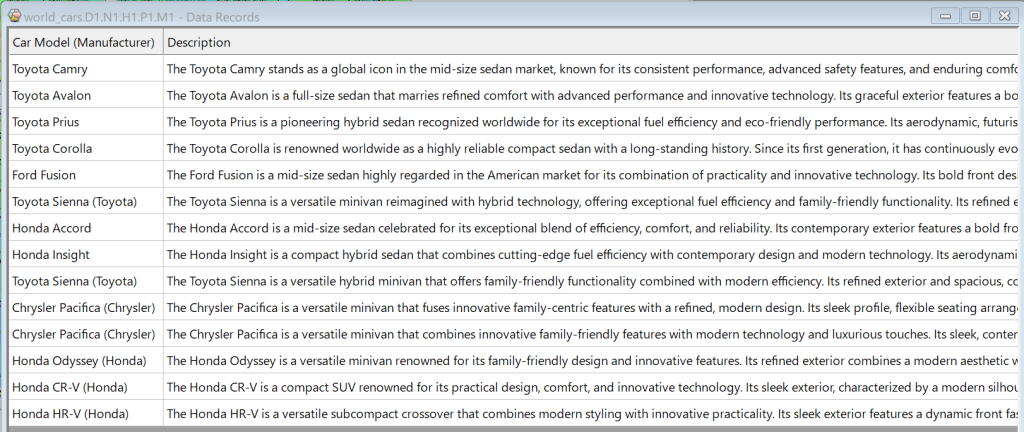
Once you have the map open, open the Data Record window. The Data Records window can be opened by checking View -> Data records. The selection box in the top left allows you to select the range that will be reflected in the Data Record window.
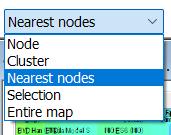
Selecting “Nearest nodes” enables instant similarity searches. The cases corresponding to the neighboring nodes of the currently selected node on the map are displayed in the Data Records window. Check Map -> Nearest Nodes to display nearest nodes as red points. The number of Nearest Nodes can be changed in Map -> Nearest Nodes Options…
Click anywhere on the map and the Data Records window will instantly display all similar data records around that node. For example, in the World_car example, you can instantly find similar car models.
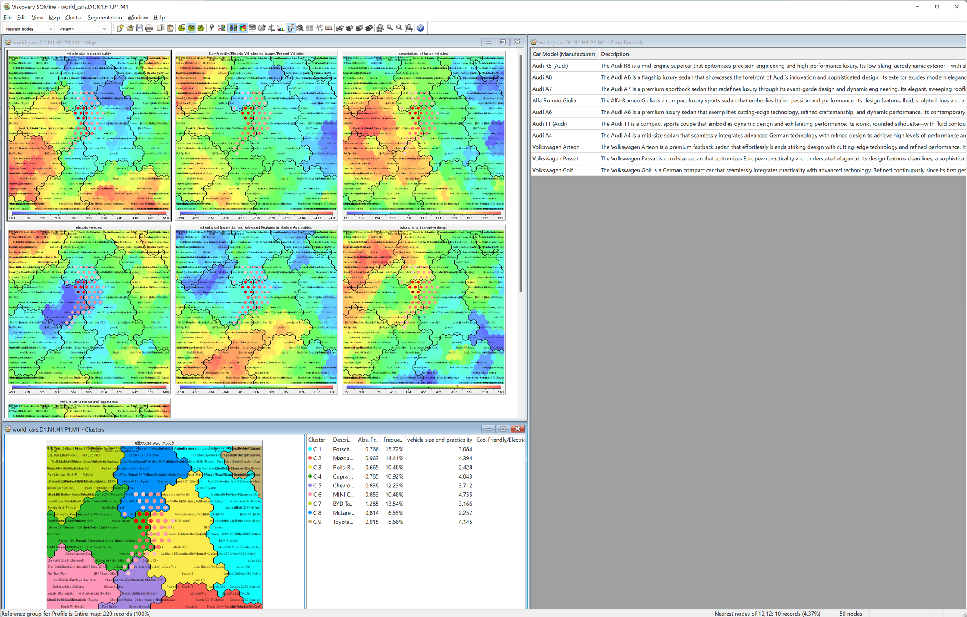
Select area from Attribute values
You can also select your target area using color scale under each attribute picture. Choose Edit -> Selection mode or the corresponding button from the menu.
You can select map area draging mouse cursol on the color scale under each attribute picture. The value range you drag will be shaded on the map, holding Ctrl while dragging will remove the shading from that range. When you choose Selection in the top left selection box, the data records for the shaded area on the map will be displayed in the Data Records window.

For example, the following map shows the results of selecting areas that are above average for “Vehicle size and Practicality” and excluding areas that are below average for other attributes. (Note that the color scale shows the mean and standard deviation as triangles and lines.)